Understanding Binary Arithmetic: The Light Switch
Discover how binary arithmetic works through an engaging light switch analogy. Learn why computers think in 0s and 1s, and how addition works at the most fundamental level.
Discover how binary arithmetic works through an engaging light switch analogy. Learn why computers think in 0s and 1s, and how addition works at the most fundamental level.
Author
Mr. Oz
Date
Read
5 mins
Level 1
Author
Mr. Oz
Date
Read
5 mins
Share


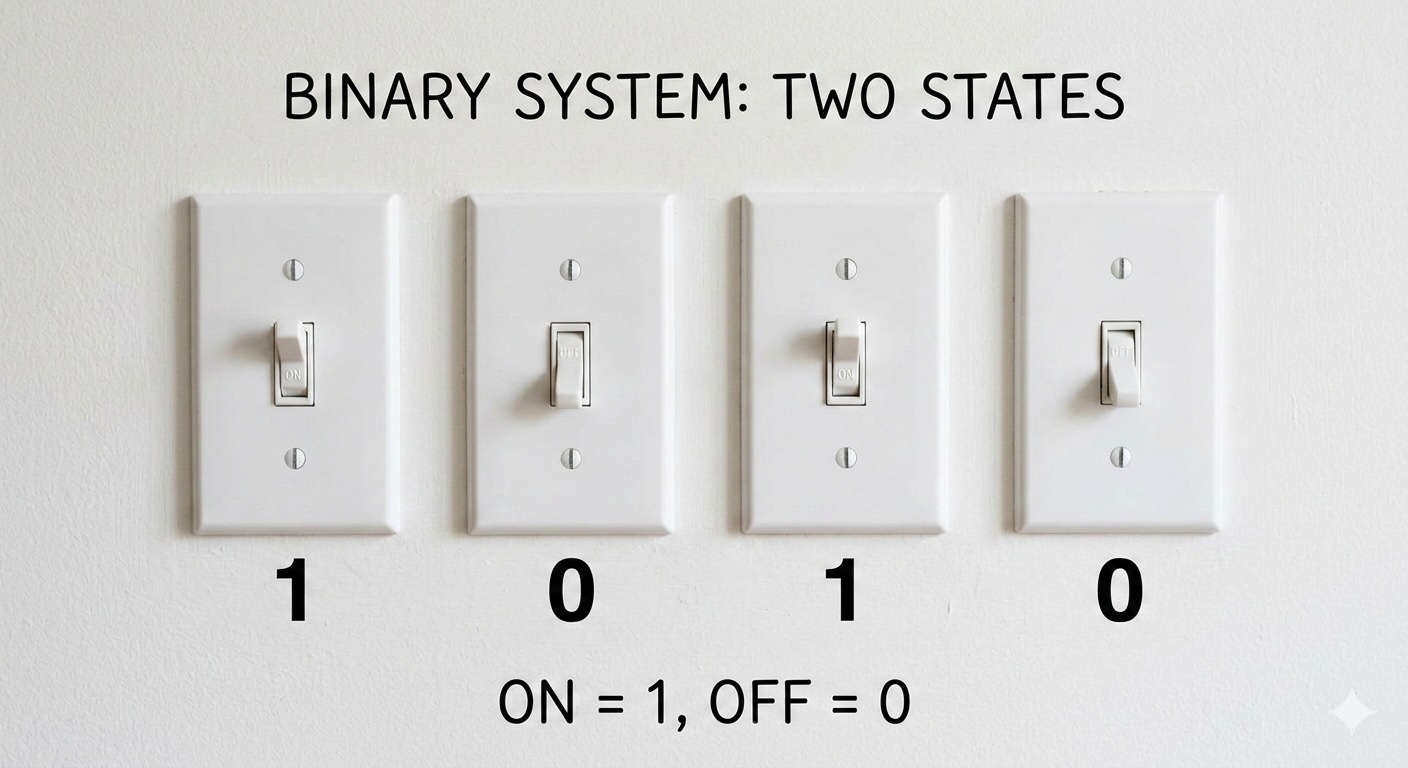
Imagine a wall with light switches — each switch can only be ON or OFF. No dimmer, no halfway setting. Just two states: on or off. This is exactly how computers think!
Welcome to the world of binary arithmetic.
Let's explore binary numbers through a wall of switches:
Computers use binary because electronic components are most reliable in two states:
Ten distinct states (decimal) would be much harder to implement reliably. The electrical noise would cause constant errors!
When we add two binary numbers, we work right to left (just like decimal). The rules are simple:
0 + 0 = 0 (both switches off → result off)0 + 1 = 1 (one switch on → result on)1 + 0 = 1 (one switch on → result on)1 + 1 = 10 (both on → result off, carry to next position)That last rule is key: when we add 1 + 1 in binary, we get 0 and carry 1 to the left. This is like adding 5 + 5 in decimal: we get 0 and carry 1.
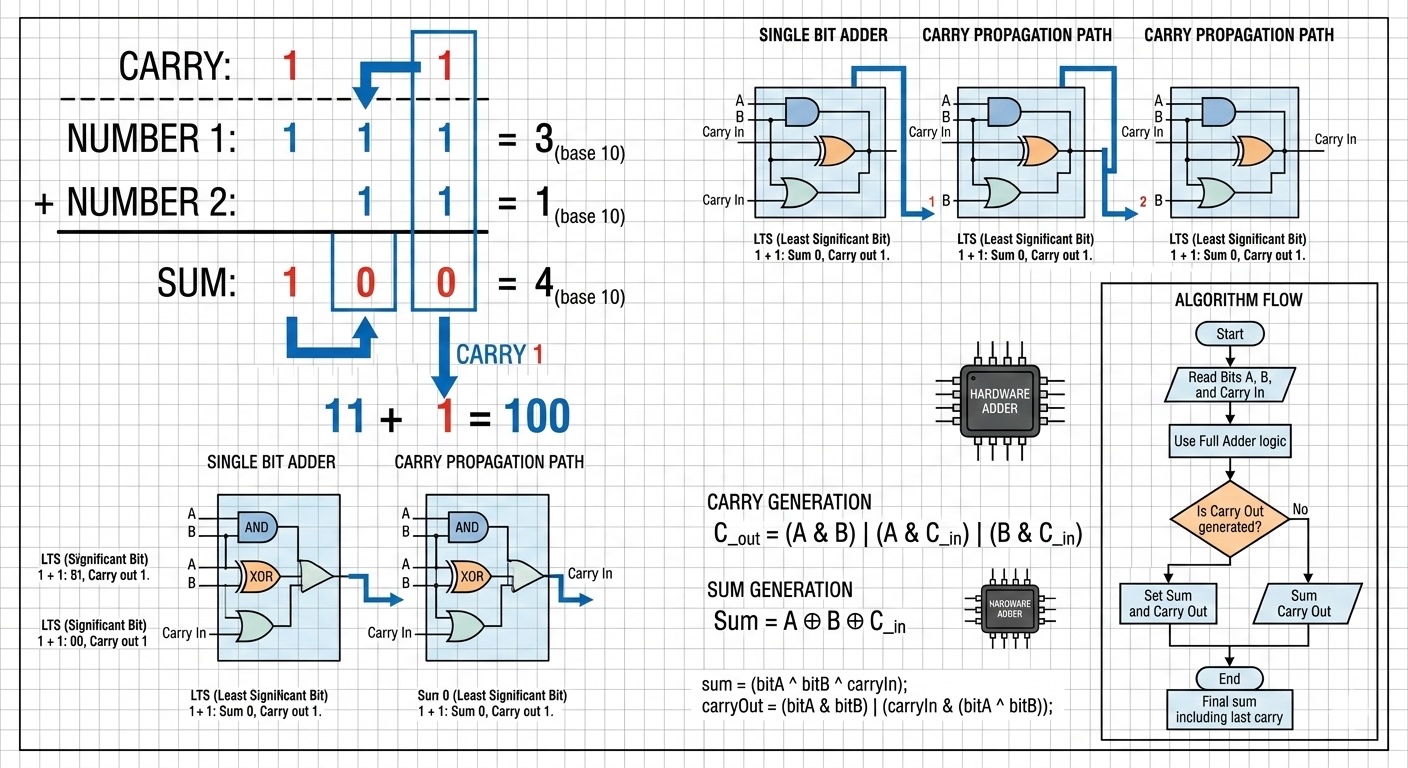
Let's add the binary numbers 11 (which is 3 in decimal) and 1 (which is 1):
   1 1   (binary for 3)
 +   1   (binary for 1)
 ------
 1 0 0   (binary for 4)
 ↑ ↑ ↑
 │ │ └── 1 + 1 = 0, carry 1
 │ └──── 1 + 0 + carry(1) = 0, carry 1
 └────── 0 + 0 + carry(1) = 1
Notice how the carry ripples from right to left. This "carry propagation" is the heart of binary addition!
What happens when all switches are ON? Like 1111 (which is 15)?
Adding 1 creates a cascade of carries:
Result: 10000 (16 in decimal). We needed an extra switch!
In decimal, each position is worth 10× more (ones, tens, hundreds...). In binary, each position is worth 2× more:
| Position | 4 | 3 | 2 | 1 | 0 |
|---|---|---|---|---|---|
| Value | 16 | 8 | 4 | 2 | 1 |
| Power | 2⁴ | 2³ | 2² | 2¹ | 2⁰ |
So 10110 = 16 + 0 + 4 + 2 + 0 = 22
Ready to go deeper?
Level 1
Learn the fundamentals of binary arithmetic through an engaging light switch analogy.
Author
Mr. Oz
Duration
5 mins
Level 2
Implementation details, string-based binary addition, and common algorithmic patterns.
Author
Mr. Oz
Duration
8 mins
Level 3

Hardware-level operations, bitwise manipulation, and CPU ALU design.
Author
Mr. Oz
Duration
12 mins